Set it up before the scrim
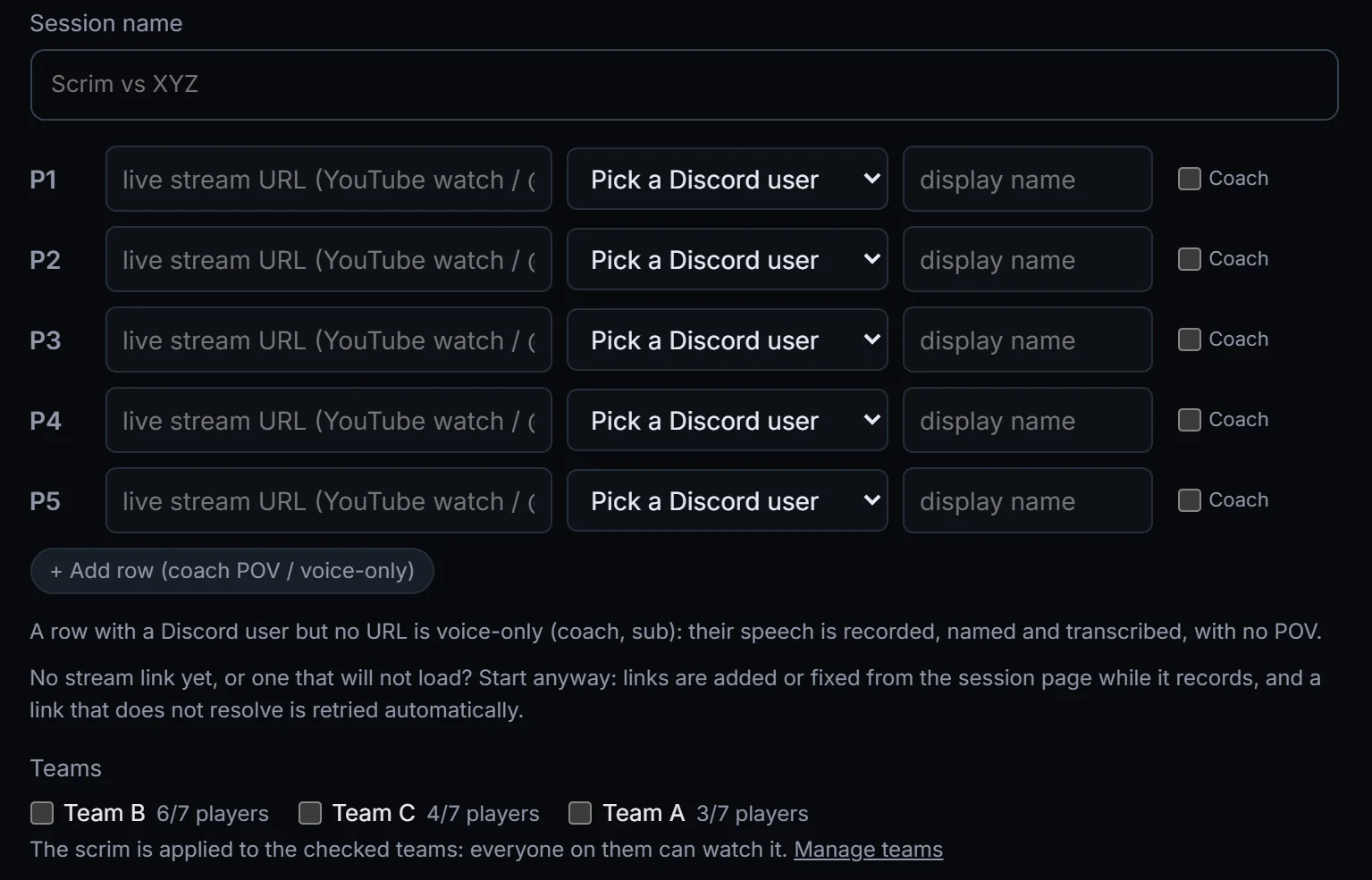
Paste each player's stream link, pick your Discord voice channel and start. Players stream to YouTube or Twitch the way they already do.
Five-minute OBS setup for players
Record a scrim
ScrimView records your team's Discord comms while you scrim, pulls each player's stream when it ends, and lines everything up. Review any round from all five POVs with the comms playing.
Invite only while we work with our first teams.
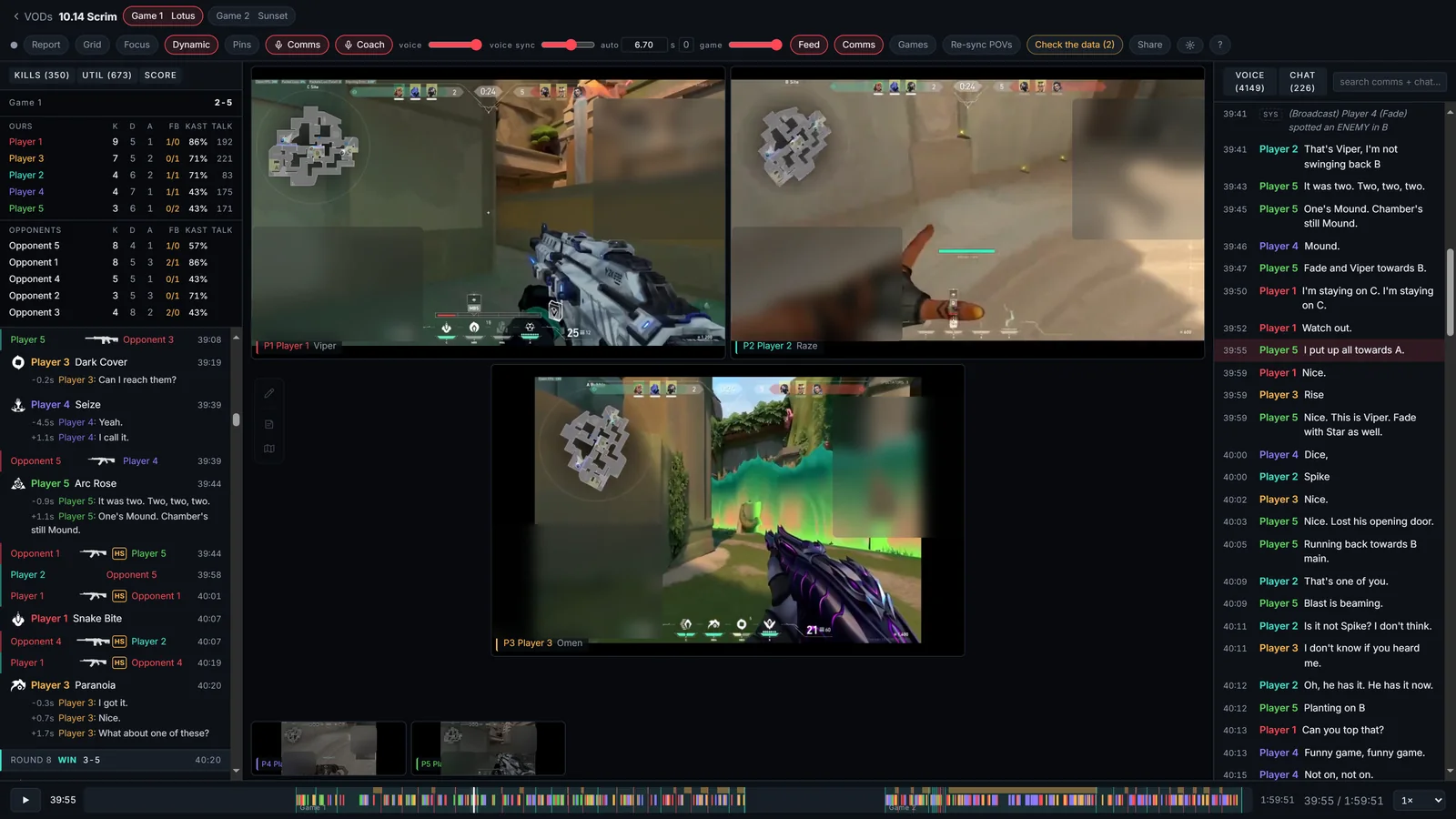
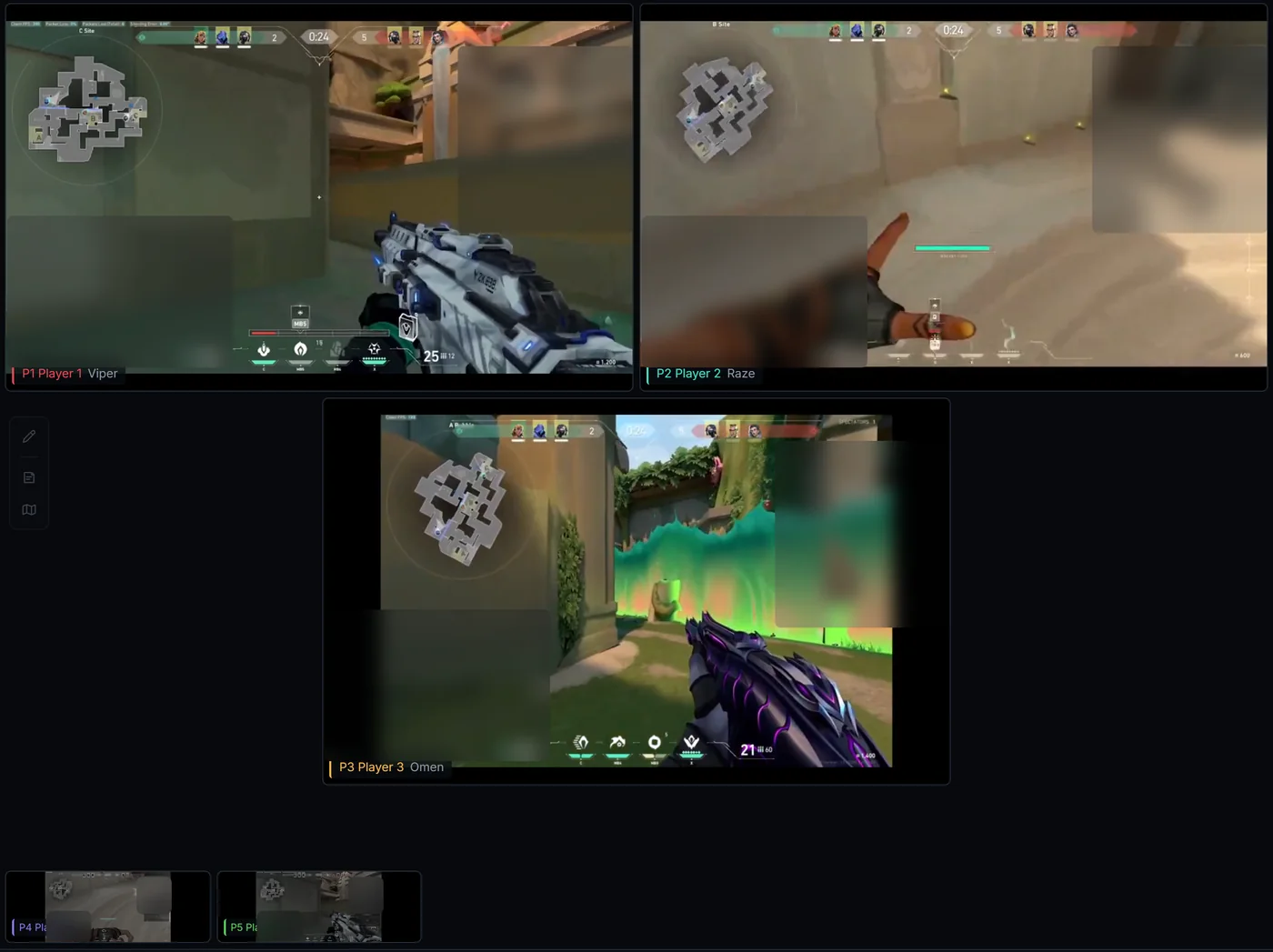
Filmed from ScrimView playing round 8 of a real scrim. Player names are swapped for Player 1 to 5, and the spots in the game footage that show names are blurred.
No editing, no syncing by hand. Set it up before the scrim, play, and the VOD is ready to review once the streams end.
Paste each player's stream link, pick your Discord voice channel and start. Players stream to YouTube or Twitch the way they already do.
Five-minute OBS setup for players
Record a scrim
The ScrimView bot sits in your voice channel and records every person on their own track, so later you can mute, solo or read any one of them.
Recording stops on its own once every stream has ended.
Illustration: one voice track per player.
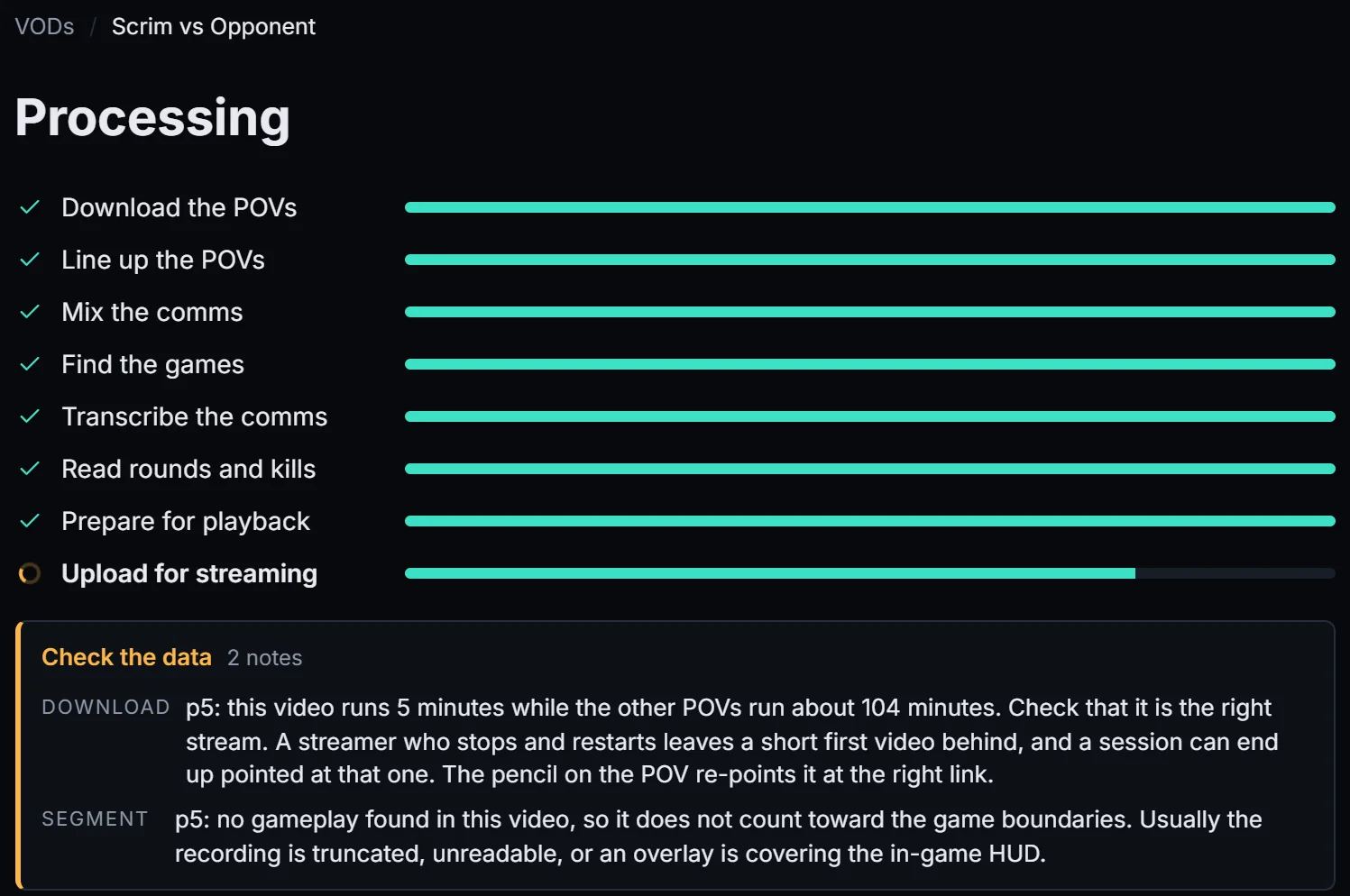
ScrimView downloads every POV, syncs them to the in-game round timer and to your comms, splits the night into games, transcribes who said what, and reads rounds and kills off the HUD.
While that runs, the raw streams are already watchable side by side, and you can watch them together on one shared link.
Processing a real scrim
Jump to a round, a kill or a callout and every POV seeks with it. Your whole team can open the same VOD from their own account.
Review screen
Built for the way coaches actually review: find the moment, then hear what was said while you watch it from every side.

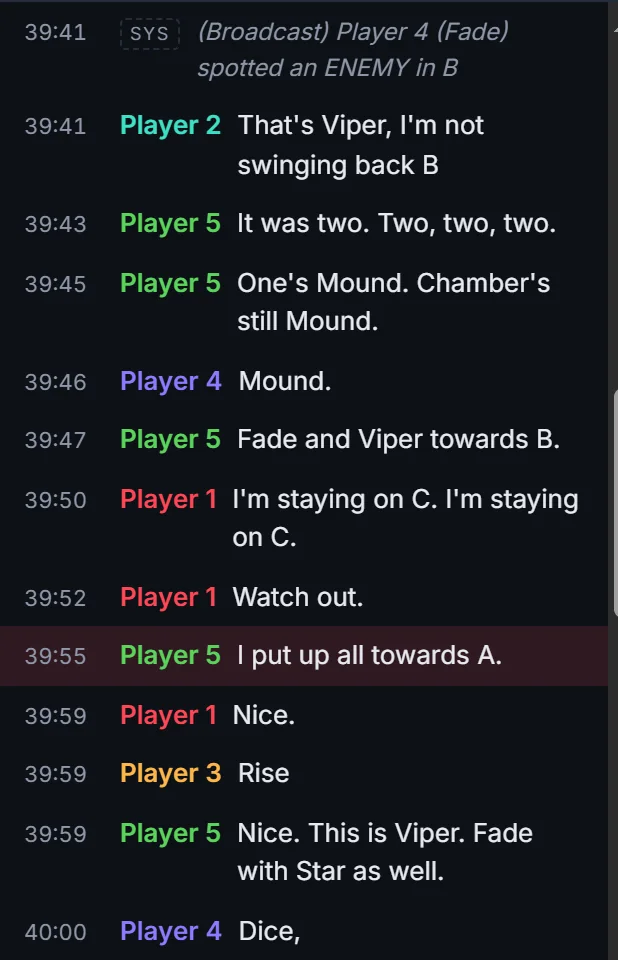
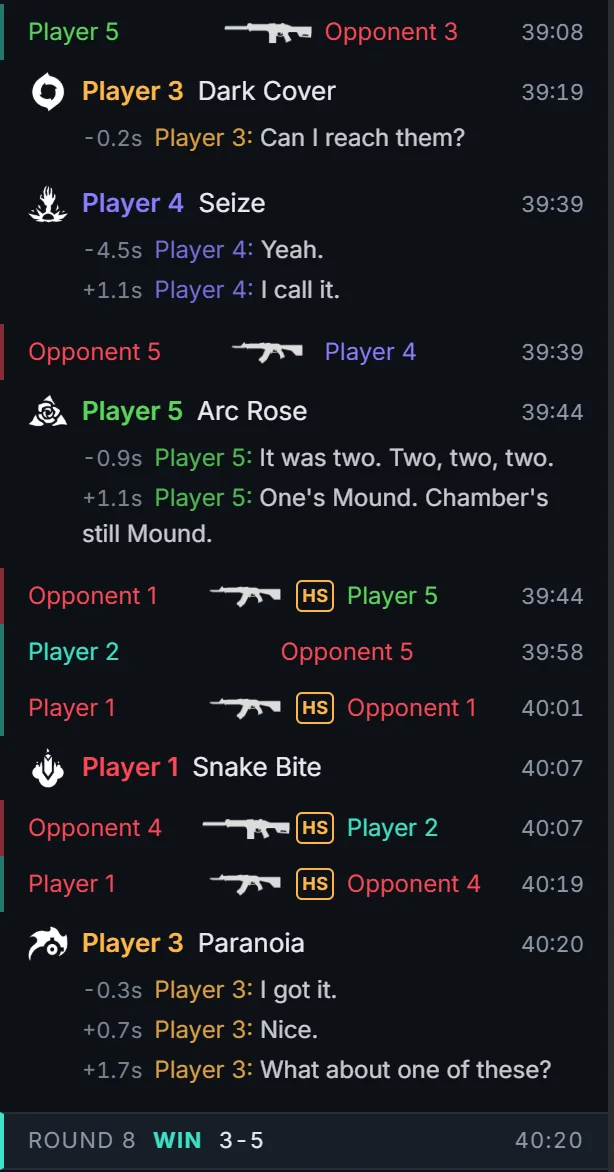
Every player on their own track: mute or solo anyone. The transcript shows who said what, and clicking a line jumps every POV to that moment.

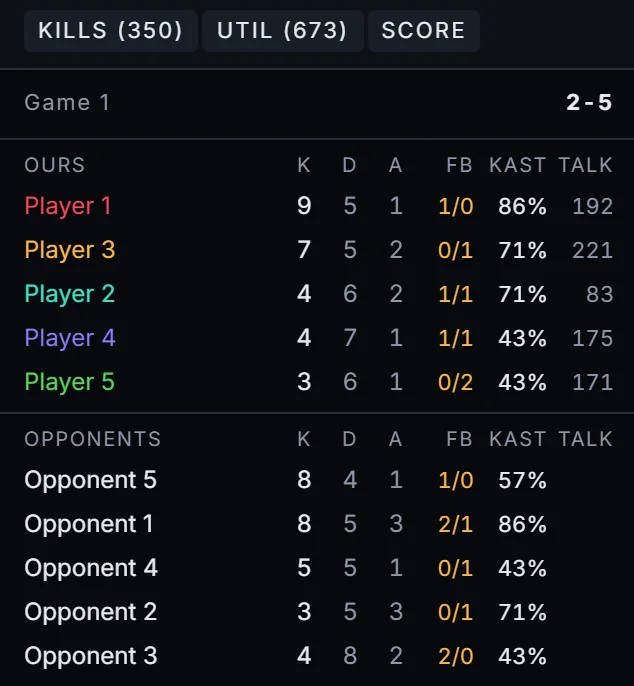
Read from the footage: every kill with the weapon and headshots, ability casts, round wins and losses, and a scoreboard for each game.

A grid, one big POV, or the dynamic layout, where players who die shrink to a strip so the ones still alive get the room.

Every ability cast read from the HUD, shown with the comms around it, between the kills and each round's result. The whole night also sits on one timeline, coloured by round.
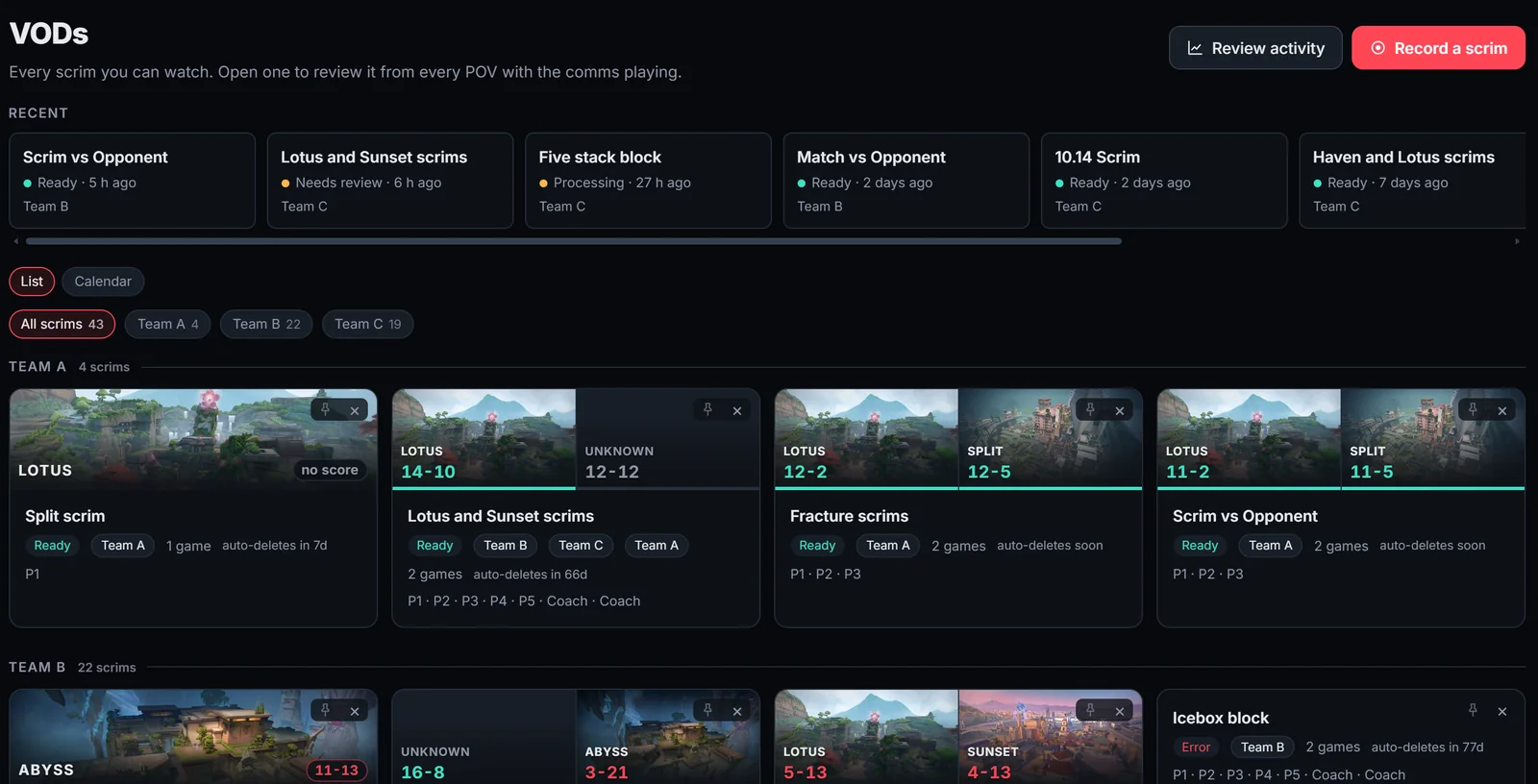
Coaches set it up once. Players get every VOD of their team, and nobody chases files.
VODs, grouped by team
You're signed in, but your account isn't on ScrimView yet.
Coaches: ask for access and we'll set your team up. Players: ask your coach for your team's invite link, it gets you in straight away.
Tell us about your team and we'll email you when we can set you up.
Play more than VALORANT? Tick every game your teams play. It helps us decide what to support next.
We'll email when we can set your team up.
VALORANT today. Tell us what else your teams play on the waitlist form; it decides what comes next.
Stream their game to YouTube or Twitch with OBS, as many already do, and be in your Discord voice channel. The setup guide covers the OBS settings in about five minutes. There is nothing else to install.
Your team, and anyone you choose to share a scrim with. Nobody else.
No. Comms are recorded for your team's review. Helping improve ScrimView is opt-in, off unless you turn it on, and covers game footage and game data only, never voice.
During the beta we keep every VOD. When plans launch, each plan keeps VODs for a set time, and any scrim you mark to keep stays.
Plans and prices are not public yet. Join the waitlist and we'll reach out with what fits your teams.
Get your team on ScrimView and review the next scrim the night you play it.
ScrimView isn't endorsed by Riot Games and doesn't reflect the views or opinions of Riot Games or anyone officially involved in producing or managing Riot Games properties. Riot Games and all associated properties are trademarks or registered trademarks of Riot Games, Inc.